

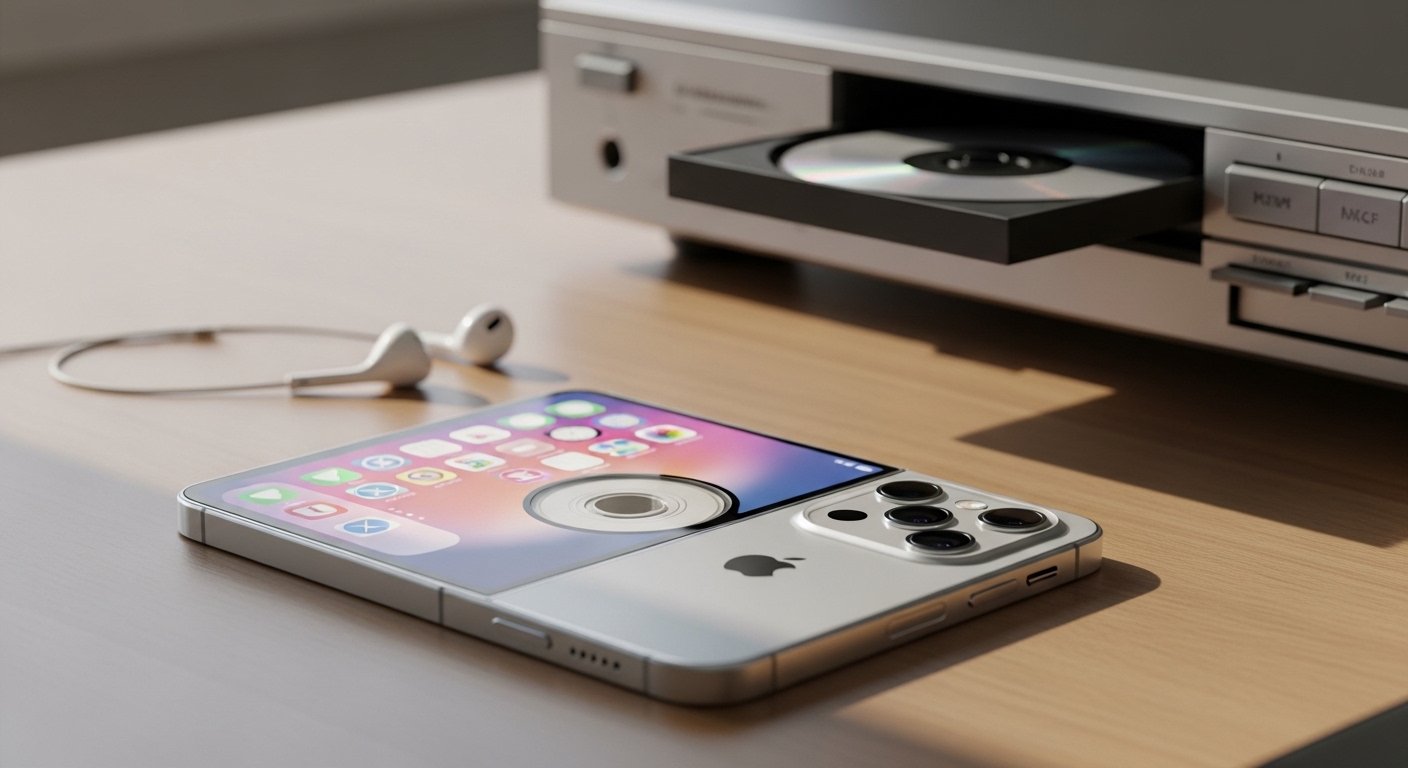
A cdiphone setup refers to the hardware and software integration that allows iPhone users to play, rip, and experience CD-quality lossless audio (16-bit/44.1 kHz and above). This ecosystem utilizes external digital-to-analog converters (DACs), high-resolution streaming codecs, and direct USB-C optical drive connections to bypass standard wireless audio compression.
Smartphones have fundamentally changed how people consume music, shifting the global standard toward highly compressed wireless streaming. However, a growing community of audiophiles and tech enthusiasts are reclaiming high-fidelity sound through the “cdiphone” ecosystem. This setup bridges the gap between classic physical media—specifically Compact Discs—and modern Apple smartphone technology.
By utilizing specific hardware attachments and software configurations, users can transform a standard iPhone into a high-end digital audio player capable of bit-perfect CD-quality playback. This guide explores the complete architecture of a cdiphone configuration, detailing the necessary components, technical requirements, and how it compares to alternative listening methods.
What are the key features and functionality of a cdiphone setup?
A cdiphone setup primarily functions to enable bit-perfect audio playback and direct physical media integration on an Apple smartphone. Users achieve this by bypassing the iPhone’s internal audio processing and routing the digital signal to specialized external hardware.
How does CD-quality lossless playback work on an iPhone?
The cdiphone ecosystem relies on the Apple Lossless Audio Codec (ALAC) to deliver uncompressed sound. Apple introduced native Lossless audio support to Apple Music in 2021. This software update allowed iPhones to process audio files that retain all the original data recorded in the studio. A standard cdiphone configuration streams or plays local ALAC files at a baseline of 16-bit/44.1 kHz, which perfectly matches the specifications of a traditional physical Compact Disc.
To actually hear this uncompressed data, the cdiphone relies on a wired connection. Bluetooth connections, including Apple’s proprietary AAC codec used by AirPods, do not possess the bandwidth to transmit true lossless audio. Therefore, the core functionality of a cdiphone requires a physical cable linking the smartphone to high-resolution headphones or speakers.
What hardware is required for optical drive integration?
A secondary functionality of the cdiphone is the ability to interface directly with physical CD drives. With the introduction of USB-C on the iPhone 15 lineup, users can connect external optical drives directly to the smartphone. This hardware connection allows users to rip physical CDs directly into their local iOS files using third-party applications. For older Lightning-based iPhones, this functionality requires an Apple Lightning to USB 3 Camera Adapter connected to an external power source, which provides the necessary voltage to spin the optical drive.
What are the primary benefits and use cases for cdiphone users?
The main benefits of adopting a cdiphone configuration include superior audio fidelity, secure physical media archiving, and reliable offline listening. These advantages appeal heavily to music collectors and professional audio engineers who require exact audio reproduction.
Why do audiophiles prefer cdiphone over standard streaming?
Audiophiles choose the cdiphone setup because it eliminates the audio artifacts and frequency limitations introduced by lossy compression algorithms. Standard streaming services compress audio files to save cellular data and reduce server load. This compression strips away subtle details in the music, such as the natural decay of a cymbal or the acoustics of the recording room. The cdiphone ecosystem preserves these elements. By delivering a mathematically perfect copy of the original CD data, the cdiphone ensures the listener hears exactly what the artist intended during the mastering process.
How does physical media archiving function on iOS?
Many users possess extensive physical CD collections that are not available on digital streaming platforms due to licensing disputes or obscure publishing histories. The cdiphone serves as a modern archiving tool. Users connect an optical drive to their iPhone, rip the rare audio tracks into ALAC or FLAC formats, and store them directly on the device’s internal storage. This use case protects against the volatility of streaming services, where albums can disappear without warning. Local storage guarantees permanent access to the user’s music library.
What are the technical specifications required for a cdiphone?
A true cdiphone configuration requires an iPhone running iOS 14.6 or later, a compatible external Digital-to-Analog Converter (DAC), and a pair of wired headphones capable of reproducing high-frequency ranges.
What are the Apple Music Lossless audio resolution tiers?
The cdiphone operates across two distinct high-fidelity audio tiers established by Apple. The standard “Lossless” tier begins at CD quality, which is 16-bit/44.1 kHz, and scales up to 24-bit/48 kHz. This tier can be played natively through the iPhone’s built-in speakers or through standard wired Lightning EarPods.
The “Hi-Res Lossless” tier handles audio files at 24-bit/192 kHz. Playing audio at this extreme resolution exceeds the capabilities of the iPhone’s internal hardware. To unlock this specification, the cdiphone setup mandates the use of an external DAC.
What role does the Digital-to-Analog Converter (DAC) play?
The DAC is the critical hardware component of the cdiphone. Digital audio files consist of binary code (ones and zeros). To hear this code, the data must be converted into analog electrical waves that drive headphone speakers. While iPhones contain a basic internal DAC, it lacks the processing power to decode 24-bit/192 kHz files accurately.
A cdiphone utilizes an external DAC—often in the form of a portable USB dongle—that takes the raw digital signal from the iPhone’s charging port, processes it using high-end audio chips, and outputs a powerful analog signal to the headphones. This external processing removes digital noise and provides the necessary electrical amplification for professional-grade studio headphones.
How does the cdiphone compare to alternative audio setups?
The cdiphone ecosystem offers better portability and daily utility than dedicated digital audio players (DAPs), but requires more hardware accessories than a standard wireless Bluetooth setup.
cdiphone vs. Dedicated Digital Audio Players (DAPs)
A Digital Audio Player (DAP) is a standalone device built exclusively for high-fidelity music playback, featuring built-in DACs and high-capacity storage. Choose a DAP if battery life and dedicated physical audio controls matter more than device consolidation. DAPs do not drain your smartphone battery and often feature dual headphone jacks.
Choose the cdiphone setup if daily convenience and ecosystem integration are your priorities. The cdiphone allows users to leverage the iPhone’s superior user interface, 5G cellular connectivity for high-res streaming, and integration with the broader Apple ecosystem. However, the cdiphone requires carrying an external DAC dongle, which can be cumbersome in a pocket.
cdiphone vs. Standard Bluetooth Audio
Standard Bluetooth audio relies on lossy codecs to beam music through the air. Choose standard Bluetooth (like Apple AirPods) if physical mobility, convenience, and features like Active Noise Cancellation (ANC) are your primary goals. Bluetooth setups are entirely wireless but sacrifice audio data during transmission.
Choose the cdiphone configuration if audio fidelity is non-negotiable. The wired connection required by the cdiphone guarantees zero data loss and zero latency. The trade-off is the physical tether between the user and the smartphone, which can be inconvenient during exercise or heavy movement.
What is the future outlook and developments for the cdiphone ecosystem?
The future of the cdiphone centers on the standardization of USB-C across all Apple devices, the development of new lossless wireless codecs, and broader third-party hardware integration.
Apple’s transition from the proprietary Lightning port to the universal USB-C standard on the iPhone 15 series fundamentally improved the cdiphone architecture. USB-C provides higher data transfer speeds and increased power output. This allows the iPhone to power high-end desktop DACs and external CD drives without requiring bulky external power banks or camera adapter dongles.
Looking forward, technology companies are actively developing wireless codecs capable of transmitting true lossless audio over Bluetooth or Wi-Fi. Technologies like Qualcomm’s aptX Lossless are attempting to bridge the gap between wireless convenience and cdiphone audio quality. While Apple has not yet released a truly lossless wireless protocol for its iPhones, the eventual development of such a codec would eliminate the need for wired DACs, completely revolutionizing how the cdiphone ecosystem operates.
Maximizing your high-fidelity mobile audio experience
Building a cdiphone setup transforms an everyday smartphone into a formidable, audiophile-grade listening station. By understanding the limitations of wireless compression and leveraging the power of external DACs and USB-C optical drives, users can unlock the true potential of their music libraries.
To begin building your own cdiphone ecosystem, check your current iPhone’s iOS version, activate the Lossless Audio setting within the Apple Music application, and invest in a reputable entry-level USB DAC. Experiencing uncompressed, studio-quality sound directly from your mobile device provides a level of clarity that permanently changes how you listen to music.
Frequently Asked Questions
How much does a cdiphone setup cost?
The cost of a cdiphone configuration ranges from $50 to over $1,000, depending on the audio hardware you select. An entry-level external DAC dongle typically costs between $50 and $100. Professional-grade wired headphones or in-ear monitors (IEMs) range from $200 to $800. The Apple Music Lossless streaming subscription requires a standard monthly fee.
Can I plug a CD drive directly into my iPhone?
Yes, you can plug a CD drive directly into an iPhone 15 or newer using the USB-C port, provided the drive does not draw more power than the iPhone can supply. For older iPhones equipped with a Lightning port, you must use an Apple Lightning to USB 3 Camera Adapter connected to a separate wall charger to provide enough power for the CD drive to spin.
Which apps are best for a cdiphone configuration?
Apple Music is the native choice for streaming ALAC high-resolution files. For users who want to play locally stored FLAC files or rip audio directly from an external CD drive, third-party applications like Flacbox, Vox, or Onkyo HF Player offer the necessary codec support and file management tools required for a complete cdiphone experience.
Does a cdiphone setup drain the smartphone battery faster?
Yes, running a cdiphone setup drains the iPhone battery significantly faster than standard wireless listening. Streaming high-resolution audio files requires more processing power and cellular data. Additionally, powering an external DAC or spinning an external optical CD drive directly from the iPhone’s port pulls substantial electrical current from the device’s battery.